Project Overview
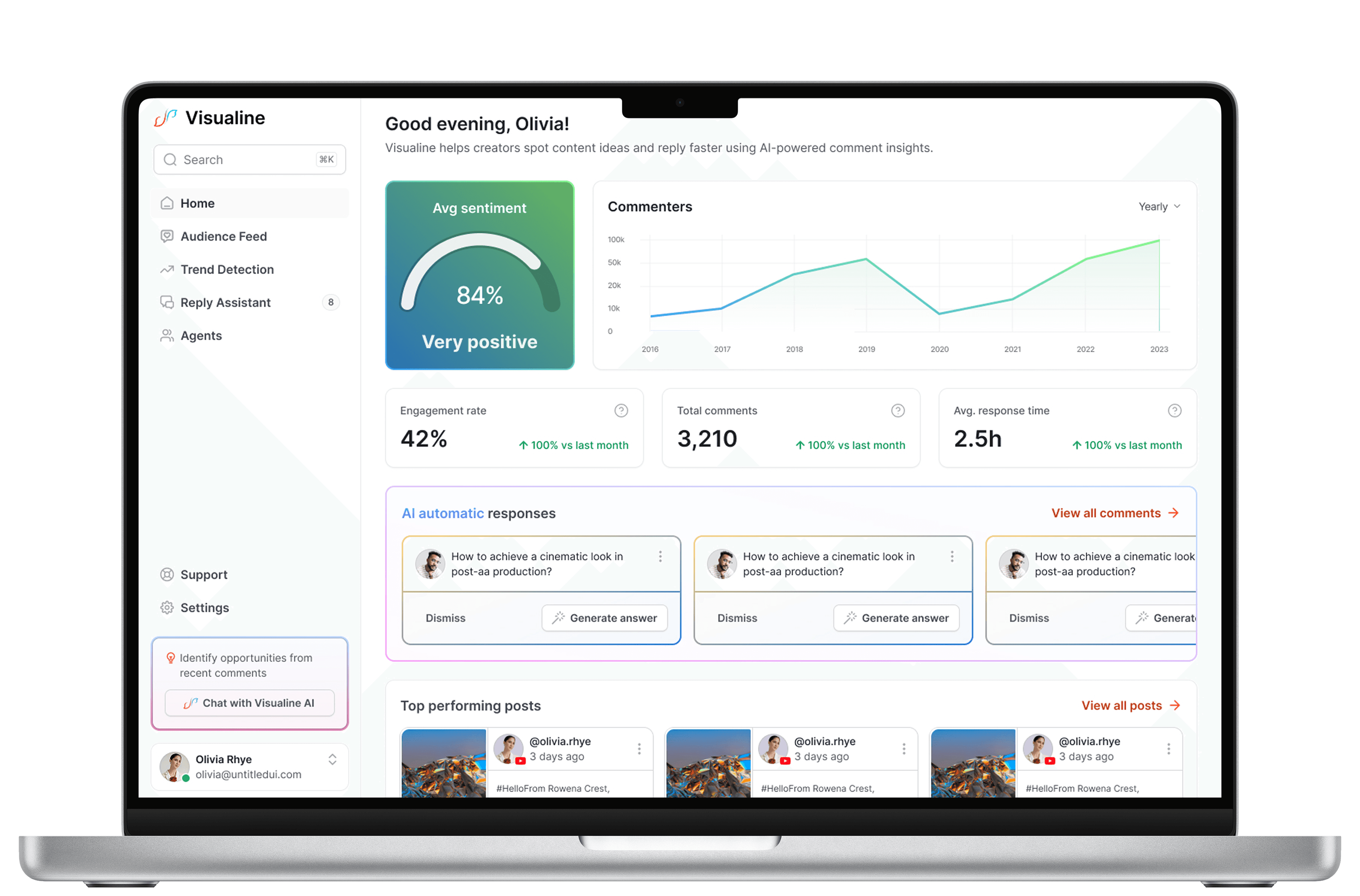
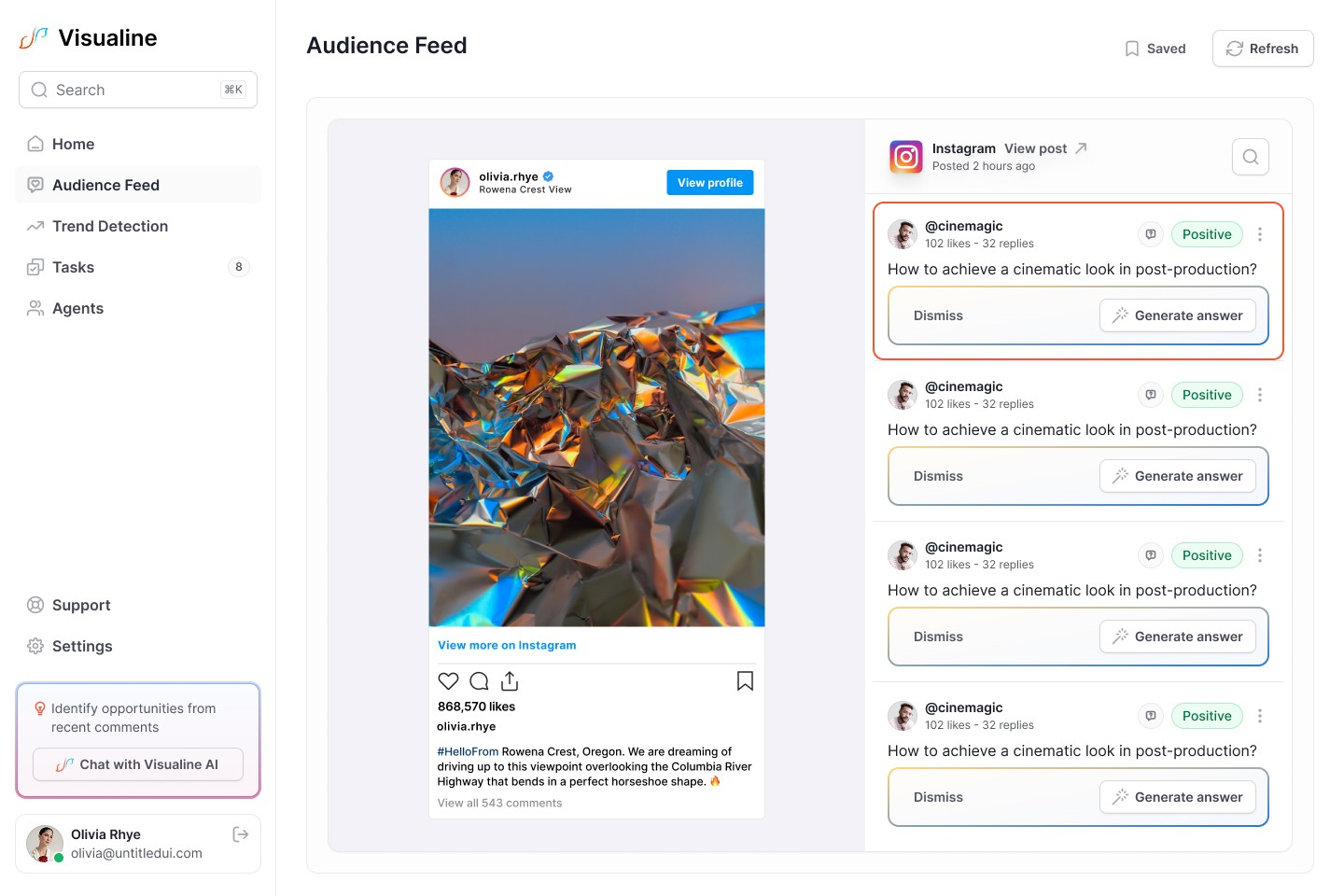
Visualine is a B2B SaaS platform that helps creators, brands, and social media teams turn social media comments into actionable insights, authentic engagement, and growth opportunities.
The product centralizes comments from platforms like YouTube, Instagram, Threads, and TikTok into a single dashboard, where AI is used to:
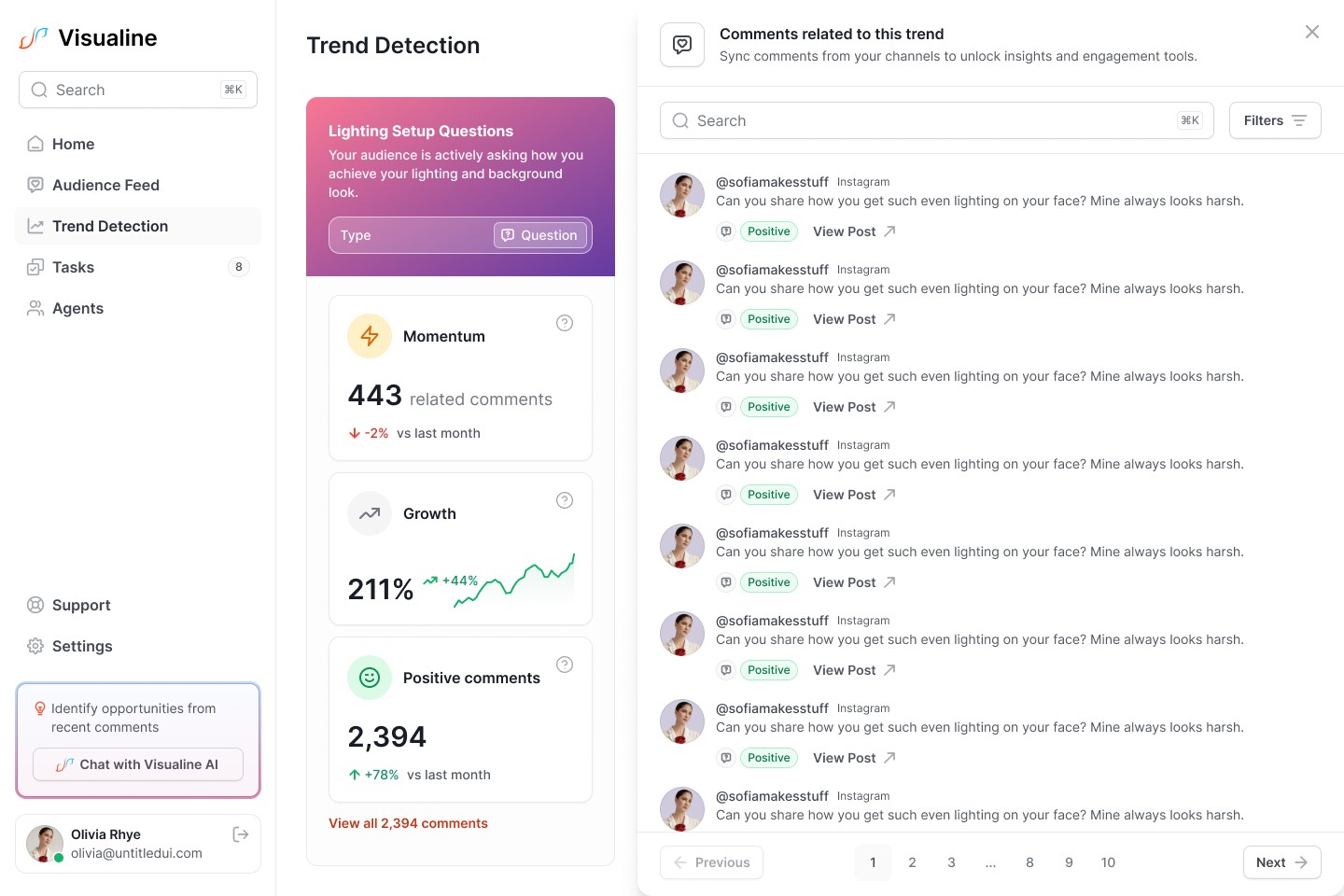
Detect sentiment and recurring themes
Surface audience insights and trends
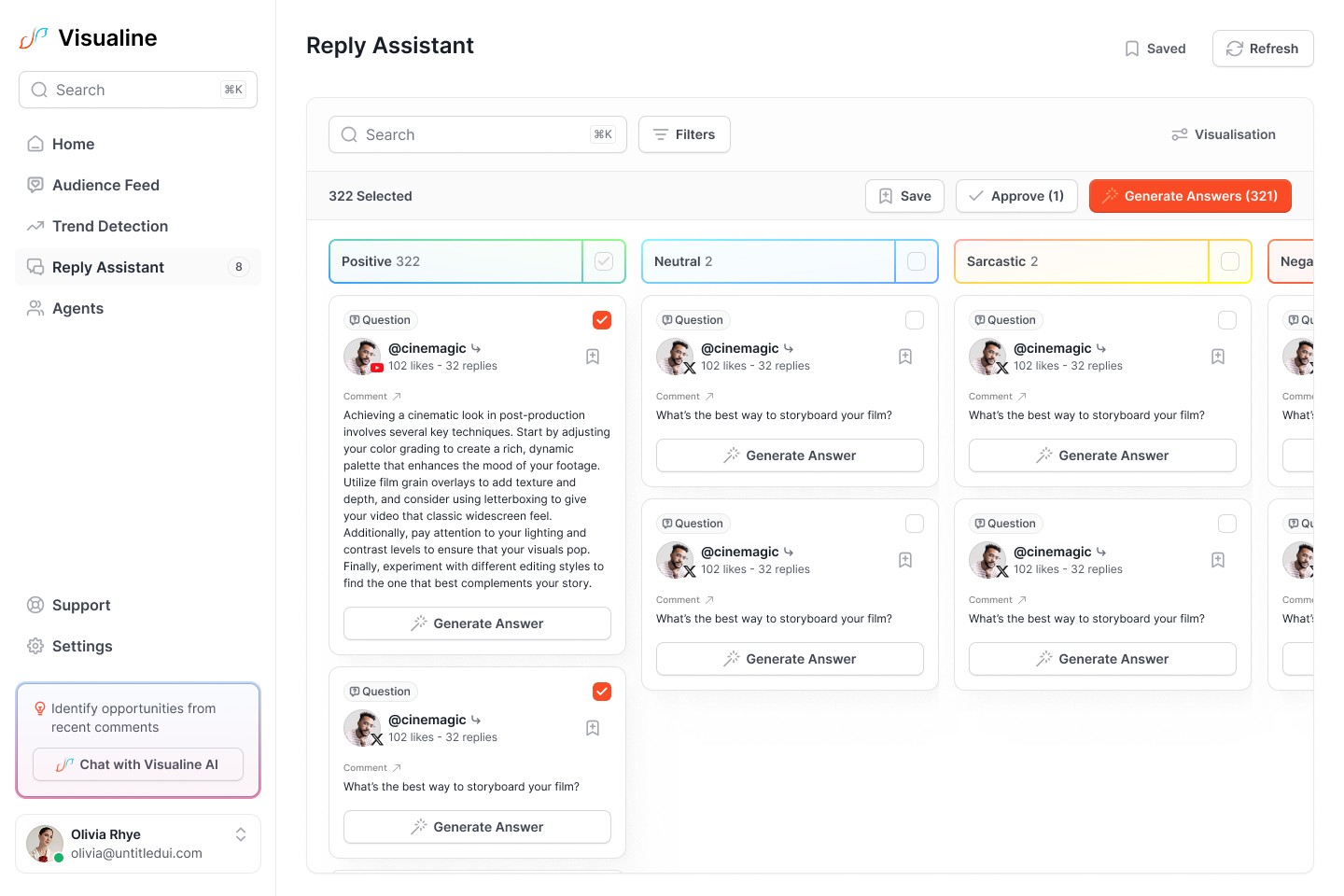
Generate on-brand replies at scale
Maintain healthy, moderated conversations
Rather than focusing only on analytics or automation, Visualine was designed to combine insight, engagement, and moderation into one cohesive experience.
The Problem
Creators and social teams receive thousands of comments across platforms, but most tools:
Bury valuable feedback under noise
Focus on vanity metrics instead of meaning
Offer generic AI replies that feel inauthentic
Require switching between multiple tools
As a result, users:
Spend hours manually replying to repetitive comments
Miss emerging trends and audience signals
Struggle to stay authentic while scaling engagement
Visualine’s challenge was to transform raw comment data into clear signals, while keeping humans in control of how they engage.
My Role
Product Designer (UX, UI, IA, and Product Strategy)
I worked end to end on the MVP, collaborating closely with the founder and engineering team.
My responsibilities included:
Discovery and UX strategy
Information architecture
Wireframing and user flows
High-fidelity UI design
Design system and component library
Interactive prototyping
Developer handoff and documentation
Design Approach
Visualine is a data-heavy, AI-assisted product, so the core design challenge was not visual polish, but abstraction:
Turning unstructured comments into understandable insights
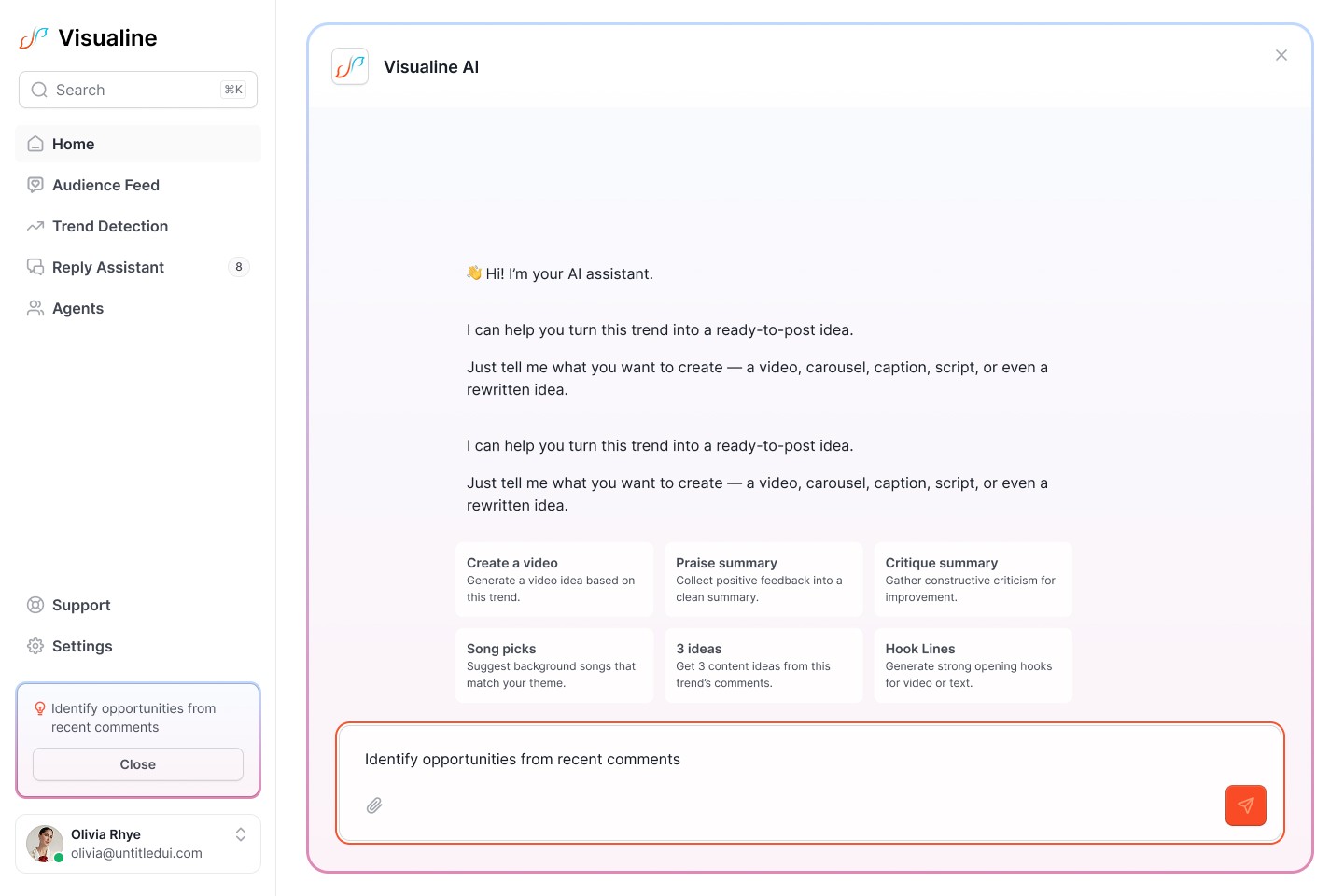
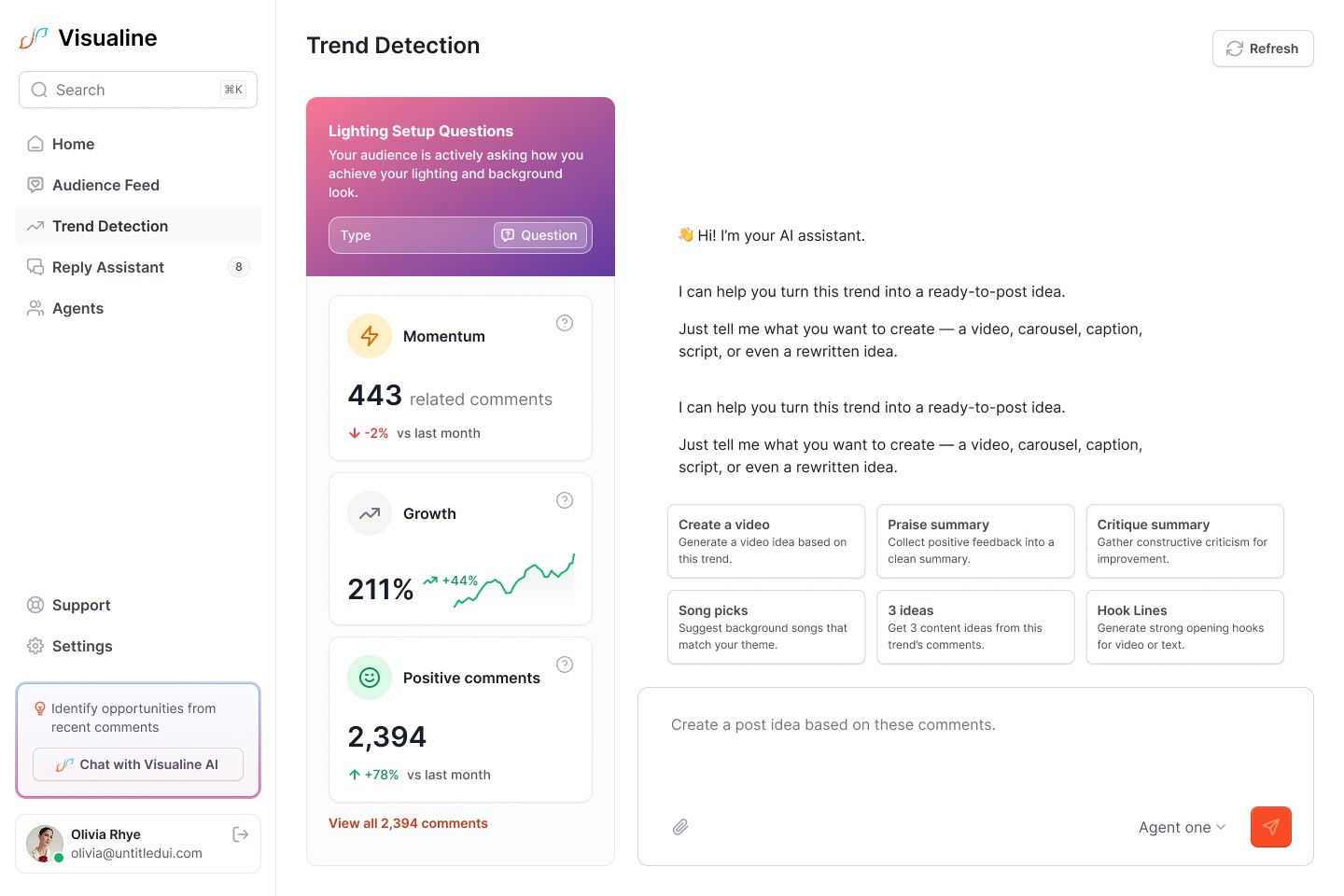
Making AI feel assistive, not intrusive
Helping users move from insight → decision → action
I structured the work in clear stages to reduce risk and validate decisions early.
Discovery & UX Strategy
Reviewed the product concept and defined target users (creators and social teams)
Identified primary goals such as saving time, increasing engagement, and staying authentic
Defined the MVP journey:
Comment ingestion → insights → AI replies → moderation
Mapped key user journeys like:
Comment ingestion
Insight discovery
Reply generation and approval
This phase aligned design decisions with the product vision before committing to screens.
Information Architecture
To avoid overwhelming users with data, I defined a clear page hierarchy:
Dashboard
Unified Inbox
Analytics & Insights
AI Reply Composer
Settings
I created a sitemap and layout priorities focused on desktop-first workflows, ensuring fast access to high-signal information.
UX Wireframes
Designed low-fidelity wireframes for 10+ core screens
Key flows included:
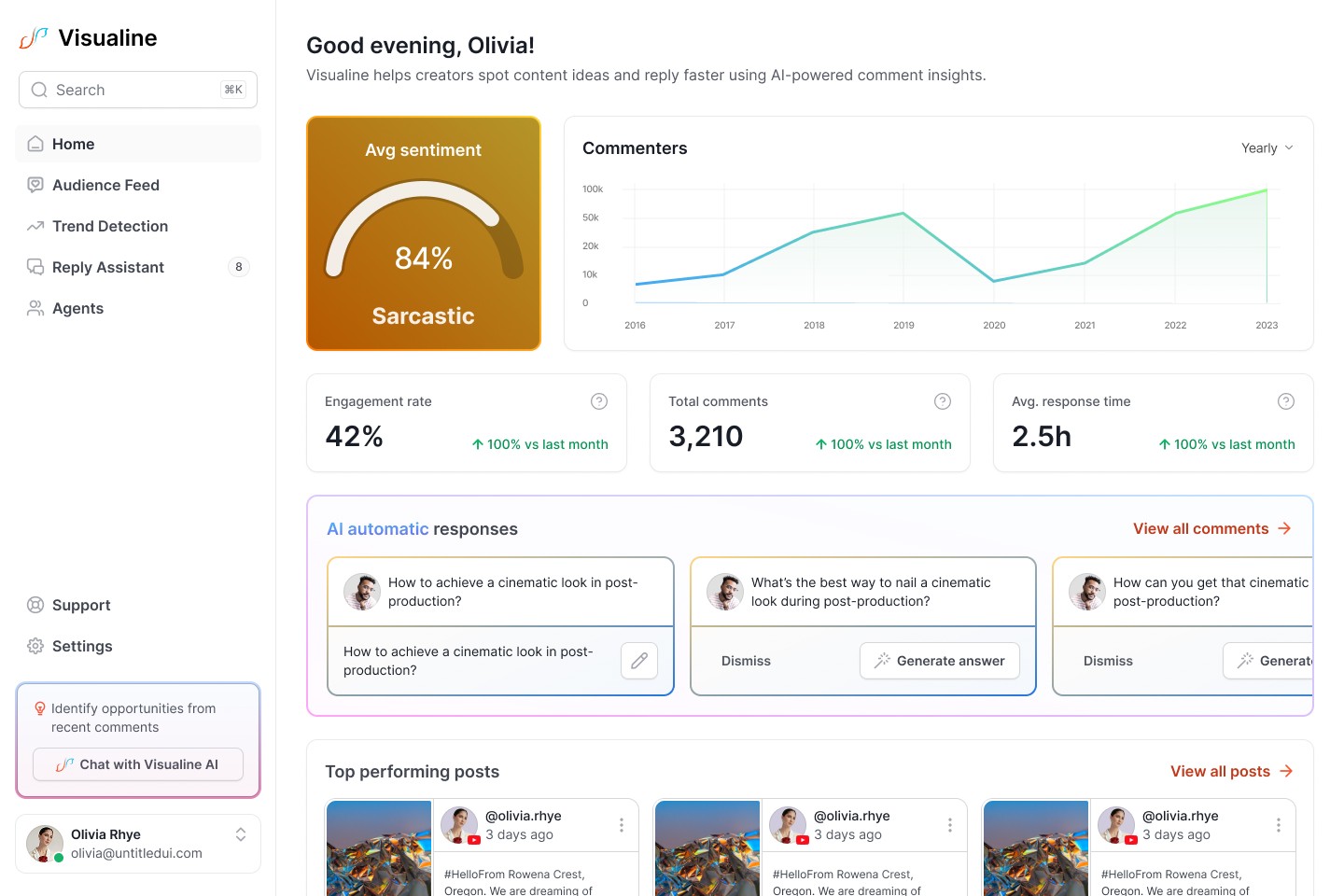
Dashboard (overview metrics)
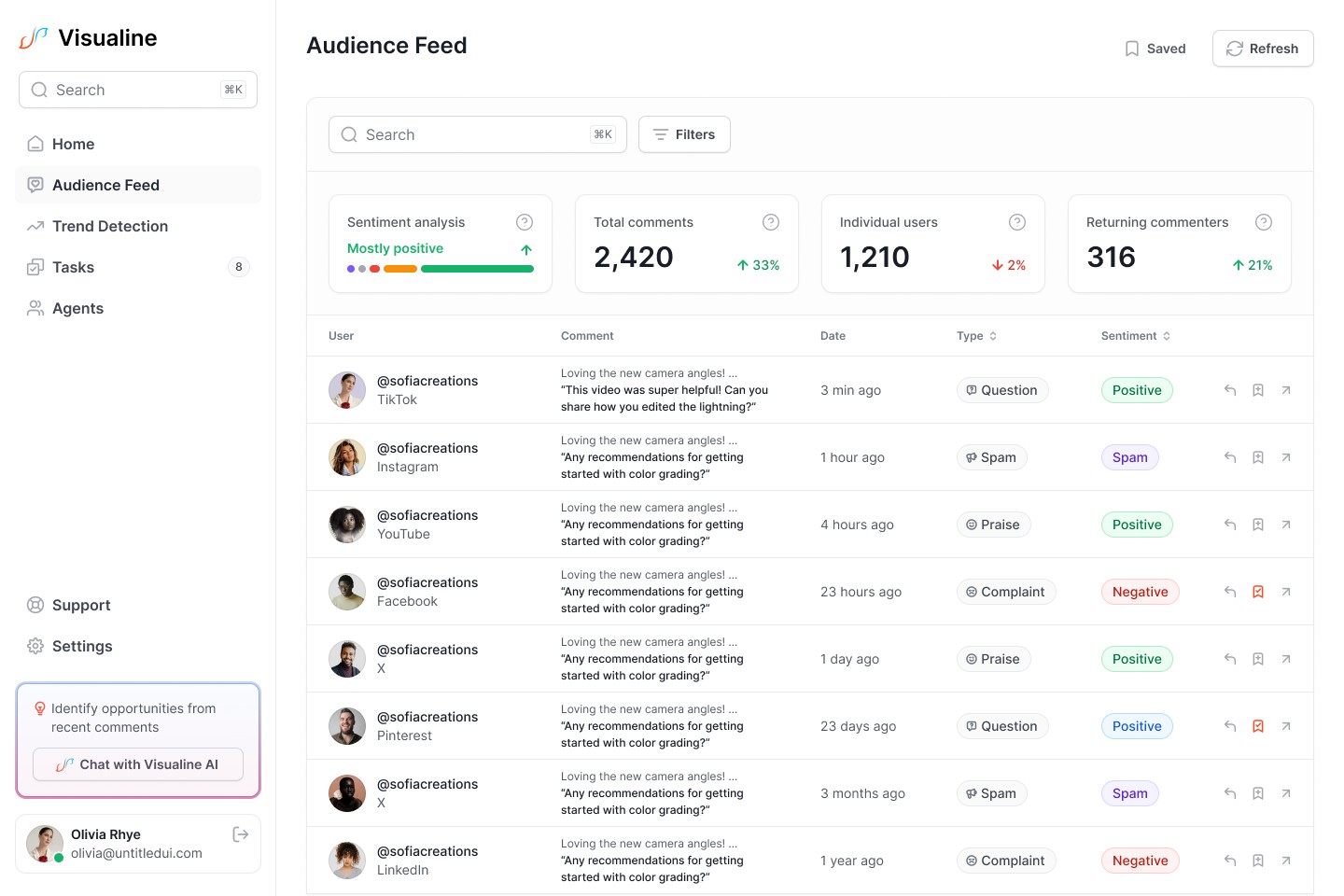
Unified Inbox (comment management)
AI Reply Composer
Insights & Ideation feed
Moderation, filters, and settings
Defined click paths, transitions, and empty states
Wireframes were validated before visual design to confirm logic, hierarchy, and usability.
UI Design & Design System
For the visual layer and component foundation, I leveraged Untitled UI as a base design system and adapted it to Visualine’s needs.
Rather than reinventing common patterns, this approach allowed me to:
Move faster without sacrificing quality
Maintain strong visual consistency across complex, data-heavy screens
Focus design effort on product-specific problems instead of basic components
I customized the system to fit Visualine’s brand and use cases, extending and refining components such as:
Tables, filters, and data-dense layouts
Dashboards and insight cards
Form elements and AI interaction states
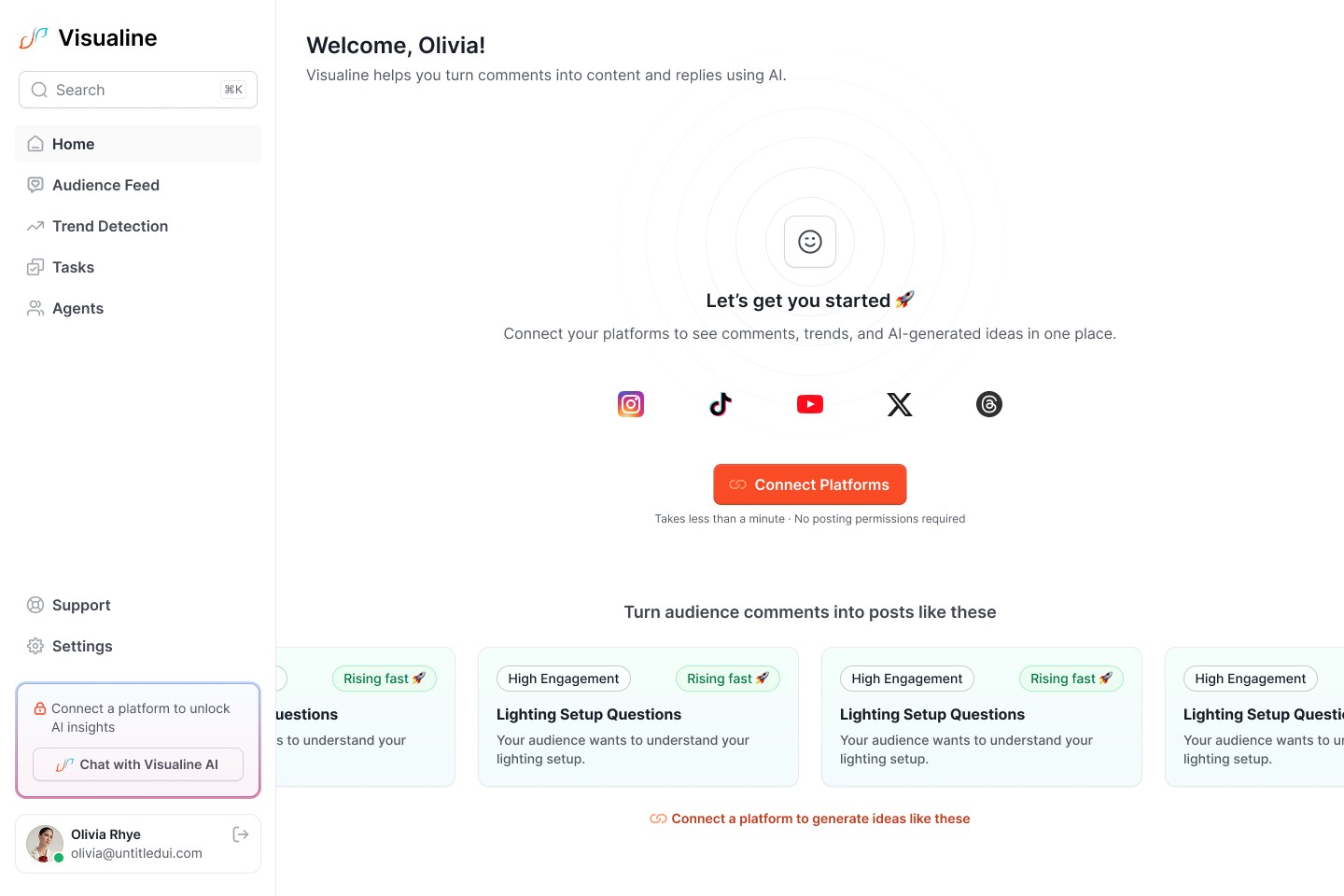
Empty, loading, and error states
The result was a scalable UI foundation that supports rapid iteration, clear hierarchy, and a consistent experience across the entire product, while remaining flexible for future features and growth.
Key Product Flows Designed
Unified Inbox: Aggregate, filter, and moderate comments from multiple platforms
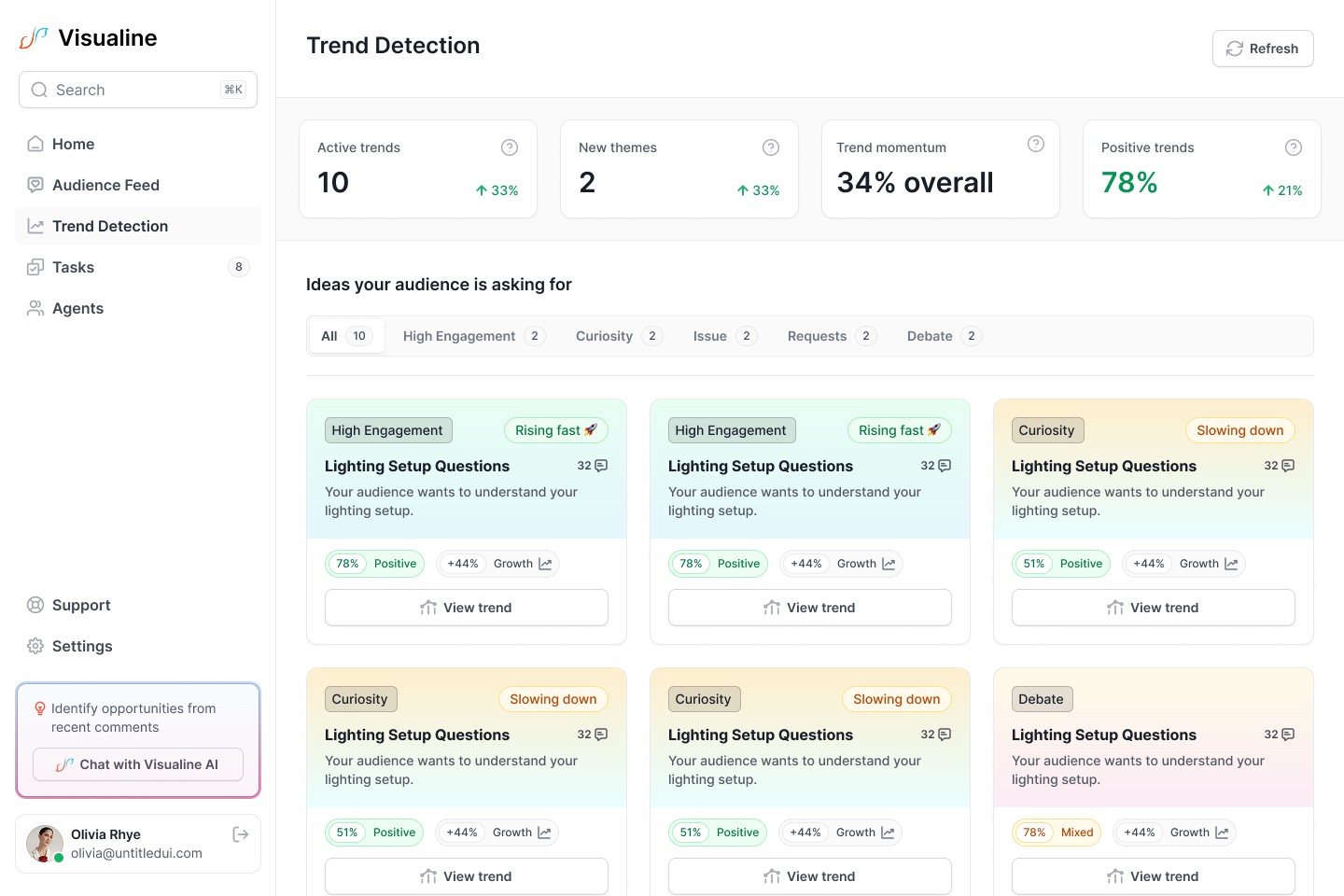
AI Trend Detection: Cluster recurring topics and surface emerging themes
AI Reply Assistant: Generate, edit, approve, and publish replies with human-in-the-loop control
Moderation & Hygiene: Spam filtering, sentiment tagging, and manual overrides
Weekly Insights Digest: Automated summaries of engagement and trends
Each flow was designed with clear states, feedback, and failure handling.
Interactive Prototype & Handoff
Built clickable prototypes covering the full MVP flow
Added transitions and behavioral cues to communicate intent
Prepared detailed handoff documentation, including:
Annotated Figma screens
Component usage notes
Responsive behavior guidelines
Interaction and loading state explanations
This allowed developers to implement confidently with minimal back-and-forth.
Challenges & Solutions
Designing for AI Without Losing Trust
Challenge: Avoiding “black-box” AI behavior and generic replies.
Solution: Human-in-the-loop workflows where users can review, edit, and approve all AI output.
Managing Data Density
Challenge: Large volumes of comments and insights risked overwhelming users.
Solution: Strong hierarchy, filters, saved views, and progressive disclosure.
MVP Constraints
Challenge: API limits, latency, and AI cost constraints.
Solution: Designed fallback behaviors, async loading states, and copy-to-clipboard flows where auto-posting wasn’t possible.
Outcome
MVP design completed and validated
Clickable prototype and design system delivered
Product positioned for pre-seed fundraising and beta onboarding
Clear foundation for future growth features and scalability
While the product is still in the MVP stage, the design establishes Visualine as a growth intelligence platform, not just a comment moderation tool.
Key Takeaways
Designing AI products requires clarity, control, and transparency
Good data UX is about hierarchy, not volume
Human approval loops build trust in AI-assisted workflows
Strong IA and systems thinking are essential in complex SaaS products